Mobile Trading App What New Investors Should Know About Trading
Investing in the stock market has become more accessible through smartphones. New investors can now open accounts, study market information and place orders without depending entirely on desktop computers. A Stock Trading App provides access to market services through a mobile device, making it easier to manage investments from different locations.
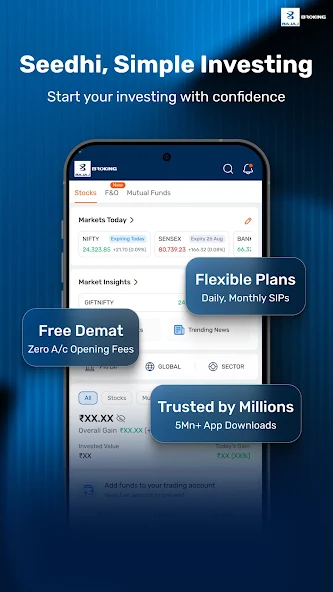
However, using an app does not automatically make someone a successful trader. Beginners should understand how orders work, what charges apply and how market prices change before investing money. Choosing a reliable Online Trading Platform and learning its features can help new investors make informed decisions.
What Is a Mobile Trading App?
A mobile trading app is a digital application that allows users to access stock market services through smartphones or tablets. It generally connects investors to a stockbroker's trading system and provides tools for buying and selling securities.
Depending on the broker, an app may offer services such as:
- Opening and managing a trading account.
- Viewing stock prices and market movements.
- Placing buy and sell orders.
- Checking holdings and investment positions.
- Accessing charts and market information.
- Reviewing transaction history and account statements.
Most mobile trading applications are connected to a demat account. In India, a demat account holds shares and other eligible securities in electronic form, while a trading account is used to place orders in the market.
How Does Mobile Stock Trading Work?
Mobile stock trading involves a few basic steps. Understanding this process can help beginners use their accounts more confidently.
- Open a Trading and Demat Account
Investors generally need a trading account to buy and sell listed securities. A demat account is required to hold shares electronically. Many brokers allow users to complete account opening through an online application.
The process usually involves submitting personal information, completing identity verification and providing the required bank details. Investors should check the broker's eligibility requirements and applicable account charges before proceeding.
- Add Funds to the Trading Account
Before purchasing shares, investors may need to transfer money from their linked bank account to their trading account. The available balance determines how much they can purchase, subject to applicable trading rules and margin requirements.
It is important to understand the difference between available funds, used margin and withdrawable balance.
- Search for a Stock
A trading app usually includes a search function that helps users find listed companies by name or symbol. Before placing an order, beginners should review the company's available information, current price, historical performance and relevant market developments.
A stock's recent price movement alone should not determine an investment decision.
- Place a Buy or Sell Order
After selecting a stock, users can enter the quantity and choose an order type. The order is sent through the broker's trading system to the relevant exchange.
An order may be executed immediately or remain pending, depending on its price and available market liquidity.
Important Features New Investors Should Understand
A mobile application may include several features, but beginners should focus on the tools that support basic investment decisions.
Real-Time or Delayed Market Prices
Market price information helps investors understand the latest available trading value of a security. Some applications provide real-time data, while others may display delayed information depending on the service and subscription.
Users should check the data source and timing before relying on displayed prices.
Watchlists
A watchlist allows investors to save selected stocks and follow their price movements. Instead of searching for the same companies repeatedly, users can create a list of securities they want to research.
Beginners can organise watchlists by industry, investment interest or other useful categories.
Price Charts and Indicators
Charts display how a stock's price has changed over a selected period. Common chart options include line charts, bar charts and candlestick charts.
Some applications also provide indicators such as moving averages and the relative strength index. These tools can help users study price patterns, but they do not guarantee future market movements.
Order History and Portfolio Details
Order history helps users review completed, pending and cancelled transactions. Portfolio sections generally show current holdings, quantities and available valuation details.
Reviewing these records regularly can help investors understand their activity and identify transaction errors.
Understanding Different Types of Trading Orders
Order types influence how and when a trade is executed. New investors should learn the basic differences before placing orders.
Market Order
A market order instructs the broker to buy or sell a security at the best available market price. It may be executed quickly when sufficient liquidity is available.
However, the final execution price can differ from the price displayed when the order was placed, particularly during periods of rapid market movement.
Limit Order
A limit order allows the investor to specify the maximum price they are willing to pay when buying or the minimum price they are willing to accept when selling.
The order will execute only if the market reaches the specified price and sufficient quantity is available. Execution is not guaranteed.
Stop-Loss Order
A stop-loss order is used to help manage potential losses. Once the specified trigger price is reached, the order becomes active according to the selected order type and broker's rules.
Investors should understand how trigger prices and execution conditions work before using this feature.
How to Choose an Online Trading Platform
Not every trading application offers the same services. Beginners should compare brokers based on their requirements rather than selecting an app only because it has a familiar interface.
Check Brokerage and Other Charges
Trading costs can include brokerage, exchange transaction charges, statutory levies, securities transaction tax, GST and other applicable fees. Some brokers may also charge account maintenance or platform-related fees.
Review the complete pricing schedule before opening an account. A low brokerage rate does not necessarily mean every service is free.
Review Security Measures
Financial accounts contain personal and transaction information, so security should be an important consideration. Look for features such as secure login, two-factor authentication, device verification and transaction alerts.
Never share passwords, PINs or one-time passwords with another person.
Evaluate App Stability and Support
An application should provide a reasonably consistent experience during regular market hours. Beginners should also check whether the broker offers customer support through suitable channels.
Useful support can help resolve account access issues, payment delays and order-related concerns.
Understand Available Investment Products
Some applications support only selected market segments, while others provide access to equities, exchange-traded funds, derivatives and other products.
Investors should confirm whether the services they need are available and understand the risks associated with each product.
Common Mistakes New Investors Should Avoid
Using a trading application without understanding basic market principles can lead to avoidable losses. Beginners should be careful about the following mistakes:
- Trading without research: Avoid buying shares based only on tips, rumours or social media posts.
- Ignoring charges: Small transaction costs can add up when trades are frequent.
- Investing emergency savings: Money needed for essential expenses should not be exposed to market risk.
- Making emotional decisions: Sudden price changes can encourage impulsive buying or selling.
- Overtrading: Frequent transactions do not necessarily lead to better returns.
- Ignoring diversification: Concentrating all investments in one company or sector can increase risk.
Investors should also be cautious about promises of guaranteed profits and unsolicited trading recommendations.
Practical Tips for Getting Started
New investors can take a gradual approach when learning to trade through a mobile application.
First, understand the difference between investing and short-term trading. Investing generally involves holding assets for a longer period, while trading may involve more frequent transactions based on market conditions.
Next, learn how to read basic company information, understand order types and review transaction costs. Start with an amount that matches your financial situation and risk tolerance. Avoid borrowing money to trade unless you fully understand the risks and applicable rules.
It is also useful to review account statements and portfolio performance periodically. These records provide a clearer picture of investment activity than looking only at daily price movements.
Conclusion
A mobile trading application can make stock market participation more convenient, but beginners should understand the services and risks before placing their first order. A suitable Stock Trading App should provide clear pricing, useful research tools, secure account access and reliable order management. Comparing features carefully can help investors select an Online Trading Platform that matches their needs and experience level.
Successful participation in the market requires research, patience and risk awareness. Learning the basics, avoiding emotional decisions and reviewing investments regularly can help new investors develop more responsible trading habits.